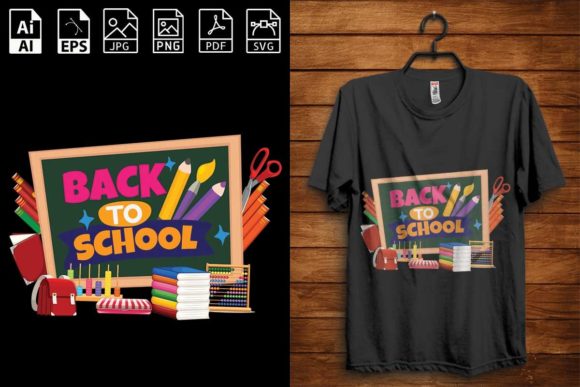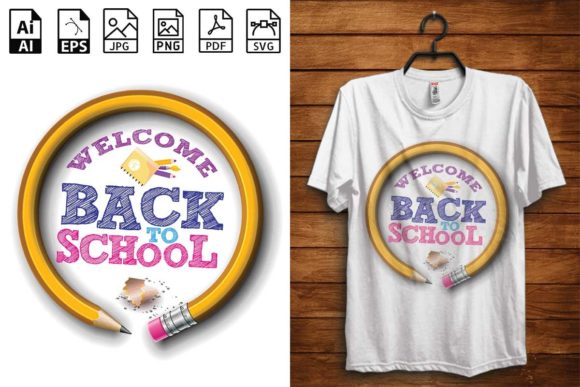
Exploring the Versatility of the Back to School T-Shirt Design-07 Digital File Set
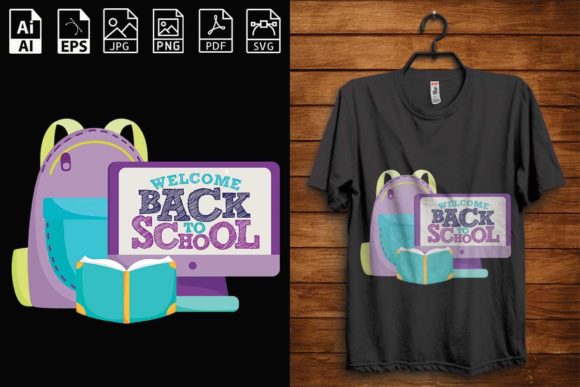
The arrival of a new school year brings a wave of anticipation, fresh starts, and the desire to express individuality. Among the many ways to mark this transition, custom apparel stands out as a personal and creative statement. The Back to School T-shirt Design- 07 digital file set offers a flexible foundation for anyone looking to create unique clothing and accessories. This collection, branded under the message "This is my New Best Back To School T-Shirt Design," provides a complete toolkit for transforming a simple concept into a finished product. Rather than being just another graphic, this design opens up a range of possibilities for do-it-yourself projects, small business offerings, and personalized gifts.
What makes this particular design valuable is not solely its visual appeal, but the comprehensive file package that accompanies it. You receive multiple formats—AI, EPS, PDF, SVG, JPG, and PNG—all at a high resolution of 300 dpi. This ensures that whether you are working with professional software or a simple home printer, the quality remains consistent. The files arrive compressed in a single ZIP archive, requiring extraction with tools like WinZIP or WinRAR, or simply by double-clicking on most modern operating systems. This thoughtful packaging means that from the moment you download, you have everything needed to begin creating.
Direct Applications Across Mediums and Materials
The true strength of the Back to School T-shirt Design- 07 lies in its adaptability across different crafting and production methods. Each file format serves a distinct purpose, allowing you to choose the best workflow for your specific project.
Clothing printing is the most immediate application. The PNG and JPG files, with their 300 dpi resolution, are ready for direct-to-garment (DTG) printers or screen printing setups. If you are ordering from a print-on-demand service, these raster files upload cleanly and reproduce the design accurately on t-shirts, hoodies, or tote bags. For those who prefer a hands-on approach, the SVG and EPS vector files are perfect for vinyl cutters. You can load the design into software like Cricut Design Space or Silhouette Studio, cut heat-transfer vinyl (HTV), and press it onto fabric using an iron or heat press. This iron-on transfer method is particularly popular for back-to-school projects because it allows for last-minute customization without needing specialized equipment.
Beyond apparel, the same files work beautifully for vinyl decals and stickers. Whether you want to create laptop decals, water bottle labels, or locker decorations, the vector formats scale cleanly to any size without losing detail. The EPS file, in particular, is a standard in the sign-making industry, giving you the flexibility to produce everything from small stickers to large wall decals. The PDF file serves as a reliable, universally viewable reference that preserves the design’s exact layout, making it easy to share with collaborators or print shops.
Scrapbooking and card making represent another creative outlet. The PNG file, with its transparent background, can be inserted directly into digital scrapbooking layouts or printed and cut by hand for physical albums. For invitations celebrating a back-to-school party or a milestone like first grade or senior year, the design adds a thematic touch that ties the event together. The high resolution ensures that even on glossy cardstock, the colors remain vibrant and the lines crisp.
Understanding the Workflow from Digital File to Finished Product
For those new to using digital design files, the process is straightforward once you understand the role of each format. After downloading and extracting the ZIP folder, you will see six distinct files. The AI file (Adobe Illustrator) is the native editable format, best suited for designers who want to modify colors, rearrange elements, or combine the design with other artwork. The EPS file (Encapsulated PostScript) is a versatile vector format that can be opened in many graphic design programs, including CorelDRAW and Affinity Designer, making it a safe choice for cross-platform work.
The SVG file (Scalable Vector Graphics) has become the standard for cutting machines. It contains path data that the machine interprets to guide the blade or laser. If you own a Cricut, Silhouette, Brother ScanNCut, or similar device, the SVG file will give you the cleanest cut lines. The PDF file acts as a portable document that displays the design exactly as intended, which is useful for proofing before printing. The JPG and PNG files are raster images; JPG is ideal for full-color printing where file size matters, while PNG supports transparency, making it essential for layered projects or placing the design over different backgrounds.
To illustrate a typical workflow: A parent preparing custom shirts for their children could open the SVG file in Cricut Design Space, resize it to fit a youth-sized t-shirt, mirror the image for HTV, and cut it from a sheet of iron-on vinyl. After weeding away the excess material, they would position the design on the shirt and apply heat for the recommended time. The entire process, from download to finished shirt, can take under an hour. For a small business owner, the same design could be uploaded to a print-on-demand platform like Printful or Printify, where the PNG file is used to generate product mockups and fulfill orders automatically.
Who Benefits from This Design File Set
The audience for the Back to School T-shirt Design- 07 extends far beyond a single demographic. Educators often use custom shirts to build classroom spirit or to identify themselves during school events. Having the design in vector format means they can resize it for a staff shirt, a classroom banner, or even a small badge. Hobbyists who enjoy crafting as a pastime will appreciate the variety of applications, from scrapbooking to home décor. The ZIP file becomes a single purchase that fuels multiple projects, making it cost-effective compared to buying individual designs for each medium.
Small business owners and entrepreneurs can leverage this design as part of their product lineup. Because the files include both print-ready and cut-ready formats, you can offer the same graphic on t-shirts, stickers, tote bags, and even engraved items if you have access to a laser engraver. The high 300 dpi resolution ensures that professional-grade output is achievable, which helps maintain a consistent brand image. For those just starting an online store, the design reduces the time spent creating original artwork, allowing you to focus on production, marketing, and customer service.
Parents and family members who want to personalize the back-to-school experience often find that a custom shirt helps their child feel excited and confident. The design can be paired with the child's name, classroom number, or a favorite color by editing the AI or EPS file in a vector program. Even without advanced software, the PNG file can be overlaid with text in a basic photo editor, giving a personalized touch without requiring design skills.
Researchers and educators in the field of digital fabrication or design education might use this file set as a teaching tool. Demonstrating how a single vector design can be repurposed across different output methods—print, cut, engrave—provides a practical lesson in file formats and production workflows. The ZIP packaging itself becomes a talking point for lessons on file compression and cross-platform compatibility.
Characteristics and Advantages of the File Set
Several technical attributes make the Back to School T-shirt Design- 07 particularly reliable. The 300 dpi resolution ensures that printed output is sharp and free of pixelation, even at larger sizes. For vector formats like SVG and EPS, resolution is not a constraint because they use mathematical paths rather than fixed pixels; however, having the raster files at 300 dpi means that any raster-based workflow—such as screen printing or DTG—starts with a high-quality source.
The inclusion of both AI and EPS files gives advanced users the flexibility to edit layers, adjust colors, or combine the design with other elements. This is especially useful if you want to create a series of themed shirts for different grade levels or subjects. The PDF file, often overlooked, serves as a reliable proofing document that can be sent to clients or print vendors without requiring them to open proprietary software.
Another advantage is the single ZIP file delivery. This keeps all related assets together, reducing the risk of misplacing individual files. Extraction is simple: double-click the ZIP folder on Windows or macOS, and the contents expand into a subfolder. Using WinRAR or WinZIP provides additional options for password protection or splitting archives, though in most cases, the built-in operating system tools suffice.
Practical Considerations When Using the Design
While the design set is versatile, success depends on matching the correct file format to your intended application. For cut machines, always use the SVG or EPS vector files rather than the PNG or JPG, which will produce poor cut results due to their pixel-based nature. When preparing for clothes printing with HTV, remember to mirror the design horizontally before cutting—this is a common step that beginners sometimes miss, resulting in a backward image after pressing.
For printable decoration and card making, the PNG file with its transparent background offers the most flexibility. You can layer it over patterned paper, digital backgrounds, or photographs without needing to erase a white box around the design. When printing at home, use high-quality cardstock or photo paper and check that your printer settings match the 300 dpi resolution for best results.
If you plan to use the design for engraving, vector formats are essential. Laser engravers read path data directly from SVG or EPS files, so ensure your design elements are properly closed paths. The high contrast of the design works well on materials like wood, acrylic, or leather, producing clean engraved lines.
One final consideration is file storage and backup. Because the ZIP contains multiple formats, keep the original archive intact even after extraction. This way, if a file becomes corrupted or you need the AI file for future edits, you have a clean copy. Organizing your digital assets by theme—such as "Back to School"—makes retrieval easier when planning next year’s projects.
Real-World Use Cases and Observations
Consider a small craft business preparing for an August school fair. By using the SVG file, they can cut fifty iron-on transfers in an afternoon, weeding and pressing each one onto blank shirts. The same design, scaled down and printed on sticker paper, becomes a giveaway item that children can put on notebooks or water bottles. Meanwhile, the PNG file is uploaded to an online store as a print-on-demand listing, generating passive income while the vendor focuses on the fair. In this scenario, a single design purchase supports multiple revenue streams and customer touchpoints.
Another example involves a middle school art teacher who wants to create a class T-shirt for a field trip. Using the AI file, the teacher can adjust the colors to match the school’s palette and add the year. The PDF is sent to the principal for approval, and the EPS file is taken to a local screen printer. The entire process, from concept to delivery, uses the same core design, demonstrating how a well-prepared digital file set streamlines communication and production.
A parent with minimal design experience might simply open the PNG file, add their child’s name using a free online editor, and print it onto transfer paper at home. While less durable than HTV, this method still produces a wearable shirt that the child can enjoy on the first day of school. The accessibility of the design—no specialized software required for basic use—makes it appealing to a broad audience.
Final Thoughts on Maximizing the Design's Potential
The Back to School T-shirt Design- 07 is more than a digital purchase; it is a production resource that bridges the gap between an idea and a finished object. By providing six formats in high resolution, the set accommodates a wide spectrum of skill levels and production methods. Whether you are ironing a design onto a shirt the night before the first day, building a product line for an online shop, or teaching students about vector versus raster graphics, the files give you a reliable starting point.
The phrase "This is my New Best Back To School T-Shirt Design" carries a sentiment of fresh beginnings and personal expression. For the user, that expression can take many forms—clothing, stickers, cards, or decorations. The common thread is the quality and flexibility of the digital assets themselves. Understanding each file’s purpose, matching it to the right project, and experimenting with different applications will help you get the most value from this design set. As you plan your back-to-school projects, keep in mind that the same files can serve a child’s shirt today and a teacher’s welcome banner tomorrow. That adaptability is what makes this design a practical and enduring addition to your digital library.