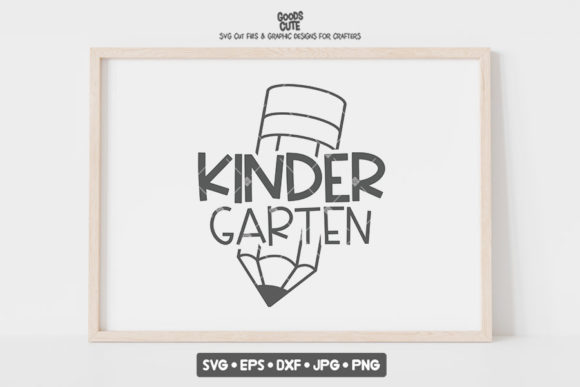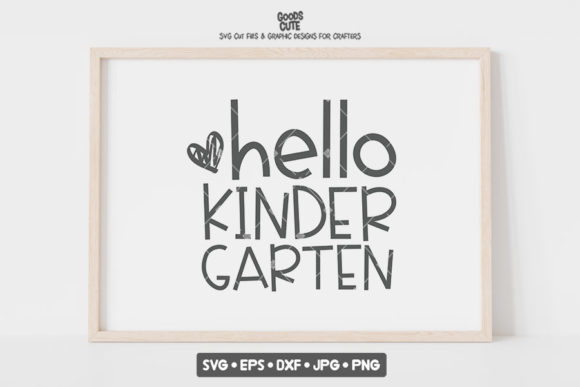
Back to School Hello Kindergarten SVG: What to Check Before You Cut, Print, or Sublimate
The first day of kindergarten is a milestone worth celebrating. A personalized shirt, a custom mug for the teacher, or a cheerful car decal are wonderful ways to mark the occasion. The Back to School Hello Kindergarten SVG bundle offers exactly that opportunity, providing a versatile set of files designed for both vinyl cutting and sublimation printing. But having a great file is only the beginning. The difference between a project that looks professional and one that ends up in the trash often comes down to understanding the specific strengths and limitations of the file format you are using.
This bundle includes an SVG, EPS, DXF, JPG, and PNG file. Each serves a distinct purpose. Making the wrong choice for your project is the most common mistake crafters make. Let's break down exactly what to look out for so you get the best possible result from your Back to School Hello Kindergarten SVG.
Treating Every File Format Like It Is the Same
The biggest misunderstanding with SVG bundles is assuming all the files are interchangeable. They are not. The .svg and .dxf files in this bundle are optimized as cut files. This means the vector paths are clean, the layers are properly separated, and there are no overlapping lines that would cause your Cricut or Silhouette to cut in the wrong place. If you try to use a basic PNG file for a vinyl cut, you will struggle to get clean lines.
The Correction: Match the file to the machine. For cutting vinyl (HTV or adhesive), use the SVG (for Cricut) or DXF (for Silhouette Studio). For sublimation or print-then-cut stickers, use the 300 DPI PNG file. Using the wrong file format leads to wasted material, frustration, and a lower quality final product. The beauty of this bundle is that it gives you the right tool for each job, but you have to choose the correct one.
The ZIP File Wall
A surprising number of crafters get stuck immediately because they do not know how to handle a .zip file. You cannot upload a ZIP directly to Cricut Design Space or your sublimation software. It will not work. On a desktop, simply double-click the ZIP to extract the individual files. On a tablet or phone, you need a free file manager app (like iZip or WinZip) to unzip the folder first. This is a friction point that can completely derail a project before it starts. Always unzip your files before attempting to import them.
Forgetting to Mirror for Sublimation
If you plan to use the high-resolution PNG file from this bundle to sublimate a mug, tumbler, or t-shirt, forgetting to mirror the image is the most expensive mistake you can make. On your screen, the text and design look correct. But if you do not flip the image horizontally before printing, your final product will have backwards text. It sounds simple, but it happens to beginners and experienced crafters alike when they work too quickly.
Better Approach: Before you hit print, always check the "Mirror" or "Flip Horizontal" box in your printer settings. Make this a non-negotiable habit for every single heat transfer project. The PNG file in this bundle is high quality and will look beautiful, but only if you mirror it correctly.
Scaling and Resolution Mistakes
Because the Vector files (SVG and EPS) are infinitely scalable, beginners sometimes assume the PNG file is too. While the PNG is high resolution at 300 DPI, stretching it too large will result in a soft or pixelated print. The JPG and PNG files are perfect for standard mug sizes (roughly 8 to 10 inches wide) or shirt designs (4 to 6 inches wide). If you need to print a massive poster, stick to the SVG or EPS formats. These are mathematically defined and will stay crisp regardless of size.
Vinyl Car Decals
Many people buy this Back to School Hello Kindergarten SVG bundle specifically for car decals. The mistake here is not accounting for the weeding process. If you choose a poorly designed SVG with tiny, intricate pieces, you will spend hours picking out little bits of vinyl with a hook tool. The strength of this particular design is that it features bold, solid shapes and chunky letters that weed cleanly and quickly.
Better Approach: Use permanent outdoor vinyl for car decals. Apply your transfer tape with a scraper (burnish it firmly) to ensure the vinyl lifts cleanly from the backing. Use the hinge method to apply the decal to the car window to avoid bubbles. Because the SVG file is properly layered, you can easily cut each color separately and layer them for a multi-colored decal.
Sublimation on Mugs and Tiles
For sublimation, the quality of your source file determines the quality of your result. Using a low-resolution JPEG will leave you with a dull, dot-matrix style print. The 300 DPI PNG included in this bundle gives you smooth gradients and sharp, crisp text. This is exactly what you need for a professional-looking gift.
Better Approach: Ensure your blank (mug, coaster, or tile) has a proper polyester coating. Sublimation ink only bonds with polyester or polymer coatings. Use heat-resistant tape to secure your print tightly against the surface. Wrinkles in the paper cause ghosting in the image. A silicone mug wrap helps apply even pressure.
Print Then Cut for Stickers and Decals
If you are using the Print then Cut feature on your Cricut or Silhouette to make stickers, the mistake people often make is skipping calibration. The machine reads registration marks to know where to cut. If it is out of calibration, it will cut right through your design.
Better Approach: Use the high-contrast PNG file. Always run a calibration test on your machine before cutting a full sheet. Calibration takes two minutes and saves you from wasting an entire sheet of sticker paper. This design works exceptionally well for stickers because of its clean outline.
Design and Personalization Traps
One of the best features of a good SVG file is the ability to personalize it. You might want to add a child's name or the year. The mistake is choosing a font that completely clashes with the playful, geometric style of the Back to School Hello Kindergarten design.
Better Approach: Stick to thick, round, sans-serif fonts or bouncy display fonts. Avoid thin script fonts that are hard to weed and look out of place next to the bold "Hello Kindergarten" text. The goal is to maintain the cheerful, approachable, and educational feel of the original design. Consistency in line weight between your added text and the original artwork makes the final piece look professionally designed.
Another common oversight is color selection. The classic kindergarten palette is bright and warm: yellow for the school bus, red for the apple, and bright blue or green for the background elements. Straying too far into dark or muted tones can make the design feel heavy and less appropriate for a five-year-old's milestone. You do not have to use the exact original colors, but keeping them in the bright, primary range ensures the design resonates with its intended audience.
Comparing SVG Bundles: Quality Over Price
When you search for kindergarten SVGs, you will see many options. A common mistake is choosing the cheapest bundle without checking the details. A high-quality Back to School Hello Kindergarten SVG bundle provides a few key things that protect your time and materials:
- Multiple Formats: SVG, EPS, DXF, PNG, JPG. This ensures compatibility with any machine or software.
- High Resolution: 300 DPI is the standard for professional print and sublimation work. Anything less is a compromise.
- Commercial Use License: If you plan to sell finished products (shirts, mugs, decals), you must check the license. A good bundle will explicitly allow this.
- Clean Vector Paths: The design should be properly grouped and have smooth curves. This makes weeding and layering much easier.
By choosing a bundle that is explicitly optimized for both vinyl cutting and sublimation, you avoid the trap of buying a file that only works on one type of machine. This particular bundle is designed to be versatile, but it is up to you to use the correct file for the correct application.
A Simple Checklist Before You Start
Before you load your Back to School Hello Kindergarten SVG into your software, run through this quick list to avoid wasted time and materials:
- Have you unzipped the ZIP file and extracted all the contents?
- Are you using the SVG/DXF for cutting, or the PNG for printing?
- If sublimating or doing HTV, have you mirrored the design?
- Is your machine calibrated for a print-then-cut project?
- Have you done a small test cut or test print on scrap material to check the sizing?
- Does your design have enough contrast against your chosen shirt or mug color?
Taking these small steps before starting your project saves frustration and ensures your finished gift or product looks polished and professional.
The Back to School Hello Kindergarten SVG bundle is a versatile and valuable tool for celebrating a major childhood milestone. Whether you are making a shirt for your own child, a mug for a teacher, or a decal for a proud parent's car, understanding the specific requirements of your chosen application makes the difference between a craft project and a keepsake. Pay attention to your file formats, respect your materials, and take the time to prepare correctly. Your results will speak for themselves.