Zooming Back to School: Craft Your Perfect Design
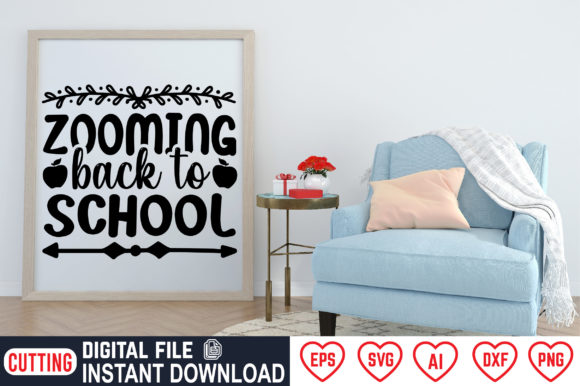
Whether you are preparing for the new academic year, launching a small creative business, or simply looking for a fresh project, digital cutting files offer a practical way to bring your ideas to life. Zooming Back to School is an instant download bundle of vector and raster files designed for a wide range of crafting and printing needs. The set includes SVG, DXF, PNG, EPS, AI, and JPG formats, all packed into a single ZIP folder. No physical product ships to you — you download the files, unzip them, and start creating right away.
This article walks through what makes this bundle useful for different people, how you might use it based on your own goals, and what to consider before you dive in.
What Zooming Back to School Actually Offers
At its core, this bundle provides cutting files that work with many popular machines like Cricut and Silhouette. You also get high-resolution PNG files with transparent backgrounds (300 dpi) for digital or print projects, plus EPS and AI vectors for professional design software. The theme centers on back-to-school imagery — think pencils, books, apples, buses, and motivational phrases — but the applications go far beyond classroom decor.
Because the files are vector-based in several formats, you can scale them without losing quality. That means you can shrink a design for a small mug or enlarge it for a poster, and it will remain crisp. The JPG version offers a preview option for quick mockups or low-resolution testing.
Why Different Audiences Might Care About This Bundle
Not everyone approaches a digital cutting file the same way. A hobbyist scrapbooker, a busy parent preparing school supplies, a graphic designer selling on Etsy, and a teacher decorating a classroom all have different priorities. Here is how the same bundle can serve very different needs.
For Beginners and Hobbyists
If you are new to cutting machines or digital crafting, ease of use matters most. The included SVG and DXF files are the standard formats for Cricut Design Space and Silhouette Studio. You simply upload them, resize if needed, and send to your machine. The PNG version also works well if you prefer print-then-cut projects — no need to learn vector editing right away.
Practical example: Imagine you want to make a custom tote bag for your child to carry books. You open the SVG in your cutting software, adjust the size to fit the bag, and cut heat transfer vinyl. In under twenty minutes, you have a personalized bag without any design skills required.
One thing to keep in mind: the ZIP folder contains multiple file types, but you only need one. Beginners can safely ignore the EPS and AI files until they feel ready to explore more advanced editing.
For Experienced Creators and Professionals
If you work with vector design daily, the EPS and AI files are where this bundle shines. You can open them in Adobe Illustrator, Affinity Designer, or CorelDRAW and modify every detail — change colors, adjust curves, add text, or combine elements from different designs. The 300 dpi PNG also works well for mockups or digital presentations without needing to rasterize vectors yourself.
Practical example: A freelance designer creating back-to-school marketing materials for a local bookstore might use the EPS file to integrate a school bus vector into a flyer, then tweak the stroke weights to match the brand style. The same vector can be exported as a PNG for social media and as an SVG for a sticker run.
Professionals often value flexibility and reliability. Because vector files are not tied to a specific software version or machine, they remain useful for years — even if you switch platforms or upgrade your equipment.
For Small Business Owners and Entrepreneurs
When you sell physical or digital products, cost and commercial value become central. This bundle is priced as a one-time download, and the files can be used to create inventory for sale — T-shirts, mugs, invitations, tote bags, and more. The variety of formats also means you can produce the same design across different product types without rework.
Practical example: An Etsy shop owner specializing in teacher appreciation gifts could use the SVG to cut iron-on vinyl for tumblers, the PNG for print-on-demand notebooks, and the JPG for listing photos. One purchase covers multiple product lines, which keeps overhead low.
Speed matters too. Instant download means no waiting for shipping. You can have a new product listed within an hour of purchasing the bundle.
For Educators and Parents
If you are a teacher decorating a classroom or a parent making school-related crafts, the theme naturally aligns with your needs. The designs can be used for bulletin boards, name tags, homework folders, or reward stickers. Because the files are instant, you can prepare materials the night before without a last-minute trip to the store.
Practical example: A kindergarten teacher wants to create a "Welcome Back" banner for the classroom door. She opens the SVG, adjusts the size to fit standard cardstock, and cuts the letters and shapes with her Cricut. In one session, she produces a durable banner that can be reused year after year.
Educators also appreciate that the PNG files have transparent backgrounds, making them easy to drop into slides, newsletters, or classroom apps without fussing with white boxes around the image.
Priorities That Shape Your Decision
Different people value different things. Here are a few key priorities and how they relate to this bundle.
- Ease of use: Beginners will find the SVG and DXF formats straightforward. No special software is required beyond the standard cutting machine interface. The PNG offers an even simpler option for print-then-cut.
- Cost: A one-time purchase replaces buying individual cut files each time you need a school-themed design. Over multiple projects, the value accumulates quickly.
- Quality: At 300 dpi with transparent backgrounds, the PNG files are suitable for both print and digital use. Vectors remain infinitely scalable without degradation.
- Flexibility: Six different file formats mean you are not locked into a single workflow. Whether you use Cricut, Silhouette, Adobe software, or open-source tools like Inkscape, you have a compatible option.
- Speed: Instant download and no physical delivery wait time. This matters if you are preparing for a deadline — like the first day of school.
- Long-term usefulness: Back-to-school themes are seasonal but repeat annually. A well-designed bundle can be used for years with different age groups, grade levels, or classroom themes.
Practical Examples Across Project Types
The same set of files can produce very different results depending on your chosen project. Here are a few specific ideas to show the range.
- T-shirts and apparel: Use heat transfer vinyl with the SVG to create custom shirts for students, teachers, or school spirit events. The vector format lets you mirror the design easily for pressing.
- Mugs and totes: Cut adhesive vinyl or infusible ink for drinkware and fabric bags. Small-scale designs work well for giveaways or parent volunteers.
- Posters and banners: Enlarge the PNG or vector for printing at home or at a local print shop. Transparent backgrounds make layering easy.
- Scrapbooking and paper crafting: Cut cardstock shapes for memory books, greeting cards, or classroom decorations. The DXF ensures compatibility with manual die-cutting machines too.
- Invitations and announcements: Combine design elements in a layout tool to create first-day-of-school invitations or "meet the teacher" cards.
- Digital use: Drop the PNG into a newsletter, classroom website, or social media graphic. No need to worry about background removal.
Does This Bundle Match Your Goals and Skill Level?
Before purchasing, consider what you actually want to create. The bundle is useful if you need back-to-school themed designs in multiple formats, especially if you work across different machines or software. If you only cut with a Cricut and never touch vectors, you will still get value from the SVG and PNG files — you simply have more options available if your needs expand later.
For absolute beginners, the included formats cover all standard cutting workflows. You do not need to know what a DXF or EPS file is. Just use the SVG, and ignore the rest until curiosity strikes. Experienced users will appreciate having editable vectors in AI and EPS, which allow full creative control.
Small business owners should check whether the license permits commercial use — most craft file bundles do, but confirming that gives you confidence to sell your finished products. The instant download nature also means you can evaluate the designs quickly and start producing immediately.
Educators and parents might prioritize print-friendly options. The PNG files at 300 dpi print beautifully on standard home printers, and the transparent backgrounds eliminate extra prep work.
Making the Most of Your Purchase
Once you download the ZIP folder, unzip it on your computer. Inside, you will find six files named after the design. Keep the folder organized by project type or theme so you can find the right file quickly later. If you use a cutting machine, import the SVG directly — no need to convert or trace. For digital scrapbooking or social media, the PNG is ready to drag and drop.
If you plan to edit the designs, open the EPS or AI file in your preferred vector software. From there, you can change colors, combine elements, or add text. Save your modified version as a new SVG or PNG for cutting or printing.
One practical tip: test a small cut or print first, especially if you are using the design on an expensive material like infusible ink or specialty cardstock. Scaling the vector before cutting ensures the proportions look right on your final product.
Zooming Back to School offers a practical foundation for a wide range of creative projects. Whether you are crafting for personal joy, classroom needs, or commercial products, the bundle provides the formats and flexibility to get started quickly. Take a moment to think about what you want to make, and let the files do the technical work for you.