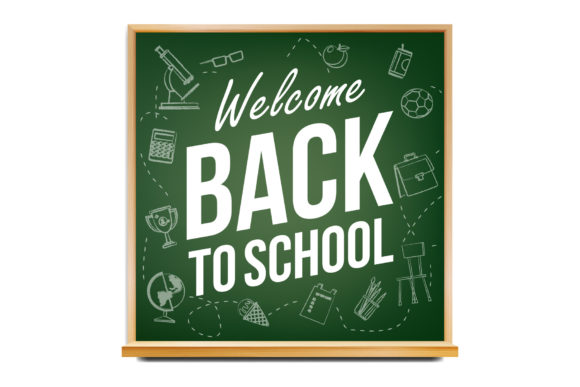
Back to School Post Banner Template: A Practical Guide for Streamlining Your Seasonal Content Workflow
Seasonal content planning presents a recurring challenge for anyone managing social media, marketing campaigns, or educational promotions. The back-to-school period is no exception. Whether you are a small business owner preparing a promotion, an educator announcing course updates, a freelancer managing client assets, or a marketer coordinating a brand campaign, the need for consistent, professional visuals is constant. The Back to School Post Banner Template offers a structured solution that fits directly into this workflow. It is not a magic fix, but a practical tool that, when used correctly, reduces friction, maintains quality, and frees up time for higher-level decisions.
Understanding the Template and Where It Fits in Your Process
The template is delivered as a well-organized .PSD file for Adobe Photoshop, with a square format at 1080×1080px — the standard size for Instagram feed posts and many other social platforms. Its key characteristics include clearly layered structures, smart object placement for images, RGB color mode, and high-resolution output. These features are not arbitrary; they directly address common bottlenecks in content production.
In a typical workflow, you might find yourself repeatedly adjusting dimensions, aligning text, or searching for compatible assets. This template removes those steps. It provides a starting point that is already aligned with platform requirements. The smart object system allows you to drop in your own images without disturbing the underlying layout. The layered organization means that adjusting colors, fonts, or spacing does not require starting from scratch. This is where the template fits into your process: between the initial concept and the final publish step, serving as a bridge that reduces repetitive manual work.
Before the Project: Planning and Preparation
Using the template effectively begins before you open Photoshop. Consider the broader context of your back-to-school campaign. Are you targeting students, parents, educators, or a mix? What message do you need to communicate? The template provides a clean, professional canvas, but the content you place into it determines its relevance.
Prepare your assets in advance. The template does not include images, so you will need to source them from Unsplash or Pexels — both excellent resources for royalty-free imagery. When selecting photos, think about how they align with your brand or message. Consistent image style across multiple posts creates a cohesive feed. For example, if your brand uses warm tones and candid photography, choose images that reflect that. If you are working with a client, gather their approved image library before you start editing.
Also, plan your copy. Write headlines, subheadlines, and call-to-action text ahead of time. This prevents the temptation to edit directly in Photoshop without a clear structure. When you open the template, your goal is execution, not decision-making. This separation of thinking and doing is a hallmark of efficient workflows.
During the Project: Implementation and Customization
The real strength of the Back to School Post Banner Template becomes apparent when you begin editing. Because the file is clearly layered and organized, you can make changes quickly without hunting through unlabeled groups. Here is a practical breakdown of how to work through the implementation phase.
Working with Smart Objects for Image Placement
The template uses smart objects for image placement. This is a time-saving feature that many users overlook. Instead of manually masking or resizing images, you double-click the smart object layer, paste or place your image, save, and the template updates automatically. The mask and scale are preserved. This method also keeps the original image intact, so you can swap images later without redoing adjustments.
When selecting images for back-to-school content, think about context. A classroom scene, a desk with stationery, or a student studying outdoors all work well. Avoid overly generic stock photos that feel disconnected from your message. The image should reinforce the text, not distract from it.
Customizing Typography and Colors
The template comes with default typography and color schemes, but these should be adapted to your brand. Because the layers are clearly labeled, changing fonts or adjusting color overlays is straightforward. If you are working within a brand kit, apply those hex codes directly. If you are designing for multiple clients or campaigns, save a master version of the template with your default settings, then duplicate and modify for each project.
One useful observation: the template is designed in RGB color mode, which is standard for digital screens. If your workflow involves print, you would need to convert to CMYK, but for social media, this is exactly what you need. No extra conversion steps are required.
Maintaining Consistency Across a Series
The back-to-school season often requires multiple posts: a welcome banner, a product announcement, a countdown, or a special offer. Using the same template layout for a series of posts creates visual consistency. You can change images and copy while keeping the same structure. This is efficient for the designer and recognizable for the audience. When followers see your post, they immediately associate the style with your brand.
To manage a series, create a folder structure on your computer or cloud storage. Save the base template in a master folder, then create subfolders for each post variation. This keeps your files organized and prevents confusion when you need to revisit or update a post later.
After the Project: Quality Control and Long-Term Use
Once you have customized the template and exported your final PNG or JPEG at 1080×1080px, the work is not quite finished. Quality control is essential before publishing. Check the following:
- Are all text layers correctly spelled and aligned?
- Do the images appear sharp and well-composed inside the smart objects?
- Is the color profile consistent with your brand guidelines?
- Does the design work in both light and dark mode contexts? (Consider how it appears on different devices.)
Export at high resolution. The template supports high-resolution output, so there is no reason to reduce quality. A pixelated or blurry post undermines the professional look you are aiming for.
Archiving and Reusing the Template
The Back to School Post Banner Template is not a one-time-use asset. Because it is fully customizable, you can adapt it for other seasonal events with minor modifications. Change the color palette, swap out back-to-school imagery for holiday or summer themes, and update the copy. The underlying structure remains useful as long as you keep the layers intact.
Save a clean copy of the original template separately from your working files. This ensures you always have a fresh starting point. If you are a freelancer or agency, consider creating a client-specific version of the template with their brand assets pre-loaded. This reduces setup time for repeat projects.
Integration with Other Tools and Platforms
No template works in isolation. The Back to School Post Banner Template interacts with several other elements in your workflow:
- Image sources: Unsplash and Pexels provide the raw imagery. Having a consistent sourcing process — such as bookmarking relevant search terms — speeds up image selection.
- Adobe Photoshop: The template is built for Photoshop CC as a minimum requirement. If you use older versions, compatibility may vary. Keep your software updated to avoid layer style or smart object issues.
- Project management tools: If you work in a team, use a tool like Trello, Asana, or Notion to track which posts are completed, in progress, or needing review. The template output becomes a deliverable in your pipeline.
- Social schedulers: Once exported, the images can be uploaded to platforms like Buffer, Hootsuite, or Meta Business Suite. Plan your posting schedule around key back-to-school dates — typically late July through early September, depending on your region.
- Brand guidelines: The template enforces consistency only if you apply your guidelines to it. Keep a separate document or file with your brand colors, fonts, and tone of voice.
Use Cases Across Different Roles
The template is versatile enough to serve various professionals, each with a slightly different workflow:
- Marketers can use it for paid social ads or organic posts promoting back-to-school sales. The clean design ensures the call-to-action stands out.
- Educators and administrators can adapt it for school announcements, registration deadlines, or orientation schedules. The professional look builds trust with parents and students.
- Content creators and bloggers can use the template for Instagram posts that link to blog articles about school preparation tips, study guides, or product roundups.
- Small business owners can quickly produce promotional graphics without hiring a designer. The learning curve is minimal if you have basic Photoshop skills.
- Freelancers managing multiple clients can customize the template for each brand, creating a consistent but distinct visual identity per client.
Practical Observations for Long-Term Efficiency
After working with this type of template, a few observations stand out. First, the time saved in the initial setup is proportionate to how well you organize your assets beforehand. If you spend 10 minutes gathering images and writing copy, you will complete the template customization in under 30 minutes. If you treat the template as a blank canvas and start improvising, that time can double or triple.
Second, the smart object feature is only useful if you understand how to use it. If you are unfamiliar with smart objects, take a few minutes to learn the basic workflow. It is a one-time investment that pays off with every project.
Third, the template is designed for Instagram feed posts, but you can adapt the 1080×1080px output for other platforms that support square images, such as Facebook, LinkedIn, or even Pinterest. For stories or reels, you would need a different format, but the brand consistency established through the feed posts can carry over to those formats as well.
Finally, do not underestimate the value of layered organization. When you need to revisit a post from three months ago, a well-labeled PSD file saves you from hunting through dozens of unlabeled layers. This kind of discipline turns a one-off template into a long-term asset.
Moving Forward with the Template
The Back to School Post Banner Template is a practical addition to any content production workflow. It addresses the specific need for professional, consistent social media visuals during a busy seasonal period. By understanding how it fits into your preparation, implementation, and quality control processes, you can use it not just as a design shortcut, but as a framework that supports better planning and execution.
Whether you are a solo creator or part of a larger team, the principles remain the same: prepare your assets, customize within brand guidelines, maintain consistency across posts, and archive your work for future reuse. The template does not replace creativity or strategy, but it removes the friction that often slows down production. That alone makes it a worthwhile addition to your toolkit.